
Why my website gets traffic but no enquiries
September 21, 2026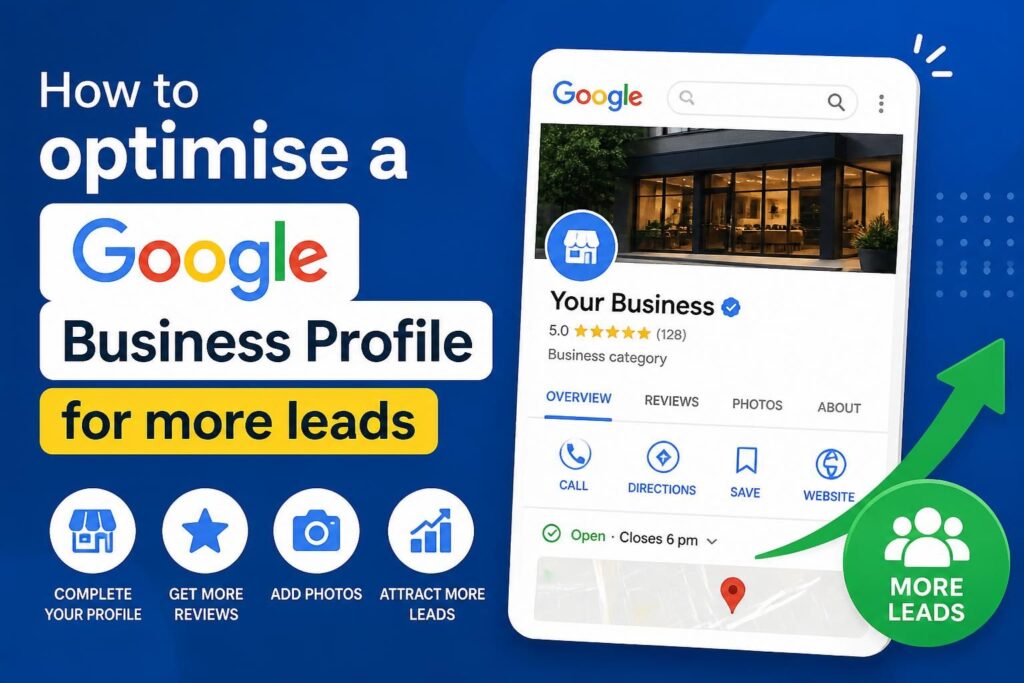





A Google Business Profile can generate calls, website visits, direction requests and messages from people already searching for a nearby provider. Getting more leads from it requires more than completing a few fields. Google must understand what the business offers, where it operates and whether the information is trustworthy, while prospective customers need enough evidence to choose the business.
Effective Google Business Profile optimisation combines accurate business information, relevant categories, strong visual content, customer reviews, local landing pages and reliable lead tracking. For South African businesses, it can be one of the most direct ways to improve visibility in Google Search and Google Maps without relying entirely on paid advertising.
Other Siteweb services that support lead generation
A strong profile works best as part of a broader digital marketing plan. Siteweb Online Marketing can assist with Google Business Profile optimisation, targeted Google Ads management, sustainable search engine optimisation, emerging generative engine optimisation and strategic social media marketing.
How Google decides which local businesses to display
Google explains local rankings through three broad factors: relevance, distance and prominence. There is no setting that guarantees the top Maps position, and a business cannot optimise its way around the searcher’s physical location. It can, however, give Google clearer information and strengthen the signals it can control.
- Relevance: How closely the profile, website and selected categories match what the person searched for.
- Distance: How far the business is from the location used in the search, or from the searcher’s estimated position.
- Prominence: How established and well known the business appears, based on information such as links, reviews, citations and general web presence.
This explains why a complete profile alone may not rank everywhere. A company in Pretoria will not automatically appear to every searcher in Johannesburg simply because both locations are mentioned in its description. Local visibility depends on genuine geographic relevance as well as the quality of the business’s online presence.
Start with ownership, verification and access control
Before changing content, confirm that the correct business owns and manages the profile. Use an email account controlled by the company rather than an employee’s private address or an agency-only account. The business owner should retain primary access and grant managers only the permissions they need.
Complete Google’s requested verification process and avoid creating a second profile if one already exists. Duplicate listings can divide reviews, confuse customers and make profile management harder. If an old listing appears in Search or Maps, determine whether it should be claimed, merged or reported rather than immediately creating another one.
Keep a record of profile owners, managers and recovery details. Remove access when staff members or suppliers leave. This basic governance reduces the risk of losing control of a valuable lead-generation asset.
Make the core business information accurate
The business name should reflect the name used in the real world. Adding suburbs, services or promotional phrases to the name purely to influence rankings can breach Google’s guidelines. Use the description, categories, services and website content to explain what the business does.
Audit the following fields carefully:
- Business name and primary category
- Physical address or service area
- Telephone number
- Website and appointment links
- Regular and special opening hours
- Business description
- Relevant attributes
- Services, products or menu information
The same core contact details should also appear clearly on the company’s website. Small formatting differences are usually less important than conflicting facts. A disconnected number, outdated address or incorrect opening time can cost a lead even when the profile ranks well.
Storefront and service-area businesses need different setups
A storefront may display its address if customers can visit during the stated hours and the location meets Google’s eligibility requirements. A service-area business that travels to customers should generally hide an address where customers are not served and specify realistic service areas instead.
Service areas describe where the company works; they do not create extra offices or guarantee rankings throughout every selected location. Virtual offices, mailboxes and locations without eligible staffing can create verification or suspension problems. Businesses with several legitimate branches should maintain a separate, accurately managed profile for each eligible location.
Select categories according to the business’s main activity
The primary category is one of the clearest descriptions of what the business is. Select the most specific category that represents the main service customers purchase, not a broad category chosen because it appears to have more search volume. Secondary categories can cover genuine additional activities, but unrelated categories dilute clarity and may attract poor-quality enquiries.
Categories available in Google Business Profile can change. Review them periodically, especially when the company introduces a substantial new service. Competitor profiles can provide context, but copying another company’s category selection without checking relevance is not a sound strategy.
Categories should also agree with the linked website page. If the profile identifies a company as a plumber but the landing page barely mentions plumbing, both Google and the visitor receive a mixed message. The page should clearly explain the service, operating area, contact options and reasons a customer might choose the company.
Write for prospective customers, not a ranking formula
The business description should make the offer understandable within a few sentences. Explain the main services, intended customers and legitimate operating area. Useful specifics are better than a string of suburb names or repeated keywords.
The services section can provide more detail. Add the services the business actively supplies and use plain language that customers recognise. Where Google permits descriptions and prices, keep them accurate. Do not publish a starting price if it creates a misleading expectation about the likely final cost.
Restaurants, retailers and suitable service businesses can also use products, menus or booking features where available. The aim is to reduce uncertainty before the prospect calls or visits the website. Profile features vary by category and region, so businesses should work with the options shown in their own dashboard rather than relying on an old checklist.
Use photos that help customers make a decision
Real, current images can answer practical questions that text cannot. A customer may want to see the entrance, parking area, team, equipment, completed work, product range or atmosphere before making contact. Upload clear images that represent the actual business instead of depending only on generic stock photography.
- Add a recognisable logo and suitable cover image.
- Show the exterior and entrance if customers visit the premises.
- Include interior images that set accurate expectations.
- Photograph products, completed projects or service delivery where appropriate.
- Replace outdated images after renovations, rebranding or operational changes.
- Avoid graphics overloaded with phone numbers, promotional text or artificial review claims.
Customers can upload their own photos, and those images may appear prominently. Monitor user-contributed media and report content that is irrelevant or violates Google’s policies. A business should not report an image merely because it is unflattering if it reflects a genuine customer experience.
Build a review process that does not create policy risk
Reviews influence customer decisions and contribute to the wider picture of prominence. The safest approach is to request honest feedback consistently from real customers, make the process simple and respond professionally. A direct Google review link can be included in a follow-up email, invoice message or post-service communication.
Do not offer rewards in exchange for positive ratings, purchase reviews or ask only customers expected to leave five stars. This practice, often called review gating, produces a distorted picture and can breach platform rules. Staff, suppliers and other parties with a conflict of interest should not be used to inflate ratings.
How to respond to positive and negative reviews
Responses should be brief, specific and respectful. Thank positive reviewers without inserting a sales paragraph into every reply. For a complaint, acknowledge the concern, avoid disclosing private account information and invite the customer to continue the discussion through an appropriate channel.
A negative review is not automatically harmful. A calm, useful response shows future readers how the business handles problems. If a review clearly violates Google’s content policies, flag it through the available process, but do not assume that criticism alone qualifies it for removal.
Publish updates only when they are useful
Google Posts can highlight current offers, events, new services, seasonal information or useful announcements. They should support the profile rather than becoming a repetitive stream of keyword-heavy adverts. Each post needs a clear purpose and, where suitable, a link to the most relevant page.
Keep temporary information current. Remove expired offer details from associated landing pages and update special hours for public holidays, shutdown periods or unusual trading days. In South Africa, customers may check a listing specifically to confirm whether a business is open around long weekends and year-end closures.
The questions and answers area also deserves attention. Customers may ask about appointments, payment methods, accessibility, delivery areas or service availability. Answer accurately and monitor public contributions. Do not use fabricated customer accounts to seed promotional questions.
Connect the profile to the right landing page
For a single-location business, the homepage may be the best destination if it clearly describes the main service and location. A multi-location organisation should usually connect each profile to the corresponding branch page rather than sending every visitor to a generic homepage.
A good local landing page should help the visitor act. It normally includes:
- A clear explanation of the relevant service
- Accurate contact information and operating hours
- The real address or service area, where applicable
- Prominent call, enquiry or booking options
- Evidence that supports the decision, such as genuine project examples or testimonials
- Fast mobile performance and an easy-to-use form
The profile and website should reinforce each other. Organic SEO helps Google understand the business beyond the information contained in Maps, while the profile can send high-intent local visitors to pages designed to convert them.
Track leads rather than watching rankings alone
A higher Maps position is useful only if it produces suitable enquiries and customers. Monitor profile interactions alongside website analytics, form submissions, booked appointments and qualified calls. Google Business Profile performance data can help identify how people found and interacted with the listing, but it should not be treated as a complete sales report.
Add UTM campaign parameters to the website link so visits can be identified more clearly in analytics. A typical tagged link records Google as the source, organic as the medium and the business profile as the campaign. Keep the naming convention consistent across locations.
Call tracking requires more care. Replacing the primary number without preserving the company’s real local number can create inconsistent information across the web. If call tracking is used, configure it in a way that retains a valid business number as an additional number and test the setup before relying on the data.
Review lead quality as well as lead volume. If the profile receives many calls for services the company does not provide, revise categories, services, descriptions and landing-page content. Optimisation should narrow the gap between visibility and commercial relevance.
A practical monthly optimisation routine
- Check public information: Search for the business and verify the name, phone number, hours, address, service area and website link.
- Review suggested edits: Google and users may propose changes, so confirm that public details remain accurate.
- Respond to reviews: Thank customers, address concerns and report only content that appears to violate policy.
- Update visual content: Add recent, useful photos and inspect customer-uploaded media.
- Publish timely information: Add a post when there is a genuine announcement, event or offer.
- Check enquiries: Test phone numbers, forms, booking links and messaging features that the business actively uses.
- Measure outcomes: Compare profile interactions with qualified leads, sales records and analytics.
- Inspect competitors carefully: Look for legitimate content gaps, not shortcuts or business-name spam to copy.
Major edits should be made for a clear business reason rather than as constant experiments. Changing categories, names and addresses too frequently can create confusion and may trigger additional checks. Record important changes so performance shifts can be assessed against a reliable timeline.
Common optimisation mistakes that reduce leads
- Keyword stuffing the business name: This may create policy problems and presents an unprofessional public identity.
- Using an ineligible address: Virtual offices and unstaffed locations may not meet Google’s profile requirements.
- Choosing every available category: Irrelevant categories can bring unsuitable searches and obscure the main offer.
- Ignoring opening hours: Incorrect hours frustrate customers and waste journeys or phone calls.
- Sending all traffic to a weak homepage: Visitors need a page that matches the service and location they searched for.
- Buying reviews: Manipulated reviews expose the business to platform action and reputational damage.
- Focusing only on profile views: Visibility is not the same as enquiries, and enquiries are not the same as revenue.
- Creating duplicate profiles: Multiple listings for the same eligible business can divide authority and create confusion.
When professional Google Business Profile management makes sense
Many owners can maintain a straightforward profile themselves. Professional support becomes useful when the business has several locations, recurring verification problems, inconsistent listings, unexplained visibility losses or a profile that attracts traffic without generating suitable leads.
An experienced provider should begin with an audit rather than promise a guaranteed number-one position. The work may include eligibility checks, category research, profile completion, landing-page alignment, review-process guidance, analytics tagging and ongoing performance analysis. No provider controls Google’s ranking system, the searcher’s location or whether Google accepts a requested change.
Ask how the provider will measure leads, who will own the profile, how access will be managed and what happens if verification or suspension issues arise. The business should retain ownership and understand which changes are being made.
Questions business owners often ask about Google Business Profile optimisation
How long does Google Business Profile optimisation take to produce results?
Basic corrections can improve the customer experience as soon as they are published, but ranking and lead changes do not follow a fixed timetable. Competition, location, website authority, profile history and the scale of the changes all affect progress. Measure results over time rather than expecting an immediate position change.
Can a business rank in suburbs where it has no office?
A service-area business may appear outside its immediate area, but adding suburb names or selecting broad service areas does not guarantee rankings there. Distance remains a local ranking factor. Relevant location pages, genuine local demand, prominence and proximity all influence visibility.
Do Google reviews improve local rankings?
Reviews form part of the information Google can use when assessing local prominence, and they strongly affect customer confidence. Review count alone is not a complete strategy. Authenticity, recency, rating, response quality and the business’s broader relevance all matter.
Should keywords be added to the Google Business Profile name?
Only if those words are genuinely part of the real-world business name. Adding services or locations solely to influence rankings can breach Google’s guidelines. Use categories, services, the description and website content to communicate relevance.
Is Google Business Profile free?
Creating and maintaining an eligible Google Business Profile does not require an advertising budget. A company may still pay staff or a specialist to manage it, produce content, improve its website or run separate Google Ads campaigns.
Authoritative guidance
Google maintains the primary guidance for profile eligibility, representation and local ranking factors. Businesses should consult the Google guidelines for representing a business and Google’s explanation of how to improve local ranking before making changes that affect names, addresses, categories or service areas.
Turn local visibility into measurable enquiries
A well-managed profile gives Google accurate information and gives customers a clear route from local search to enquiry. The strongest results come from treating the profile, website, reviews and tracking as one connected system rather than isolated marketing tasks.
Siteweb Online Marketing can assess how your profile is configured, identify missed lead opportunities and align it with your wider search strategy. Contact Siteweb Online Marketing to discuss practical Google Business Profile improvements for your business.